

Zoho Project Management
Plan projects, deliver on time, and connect every task to the deal that started it. Zoho Projects and Zoho Sprints give your team a structured way to manage work from start to finish, integrated with the rest of your Zoho system.
Not a sales call. One hour with an experienced Zoho partner.
Zoho Projects or Zoho Sprints: Which One Fits Your Team?
Zoho One includes two project management applications. They serve different types of work and different ways of running a team. The right choice depends on one question.
1. Do you build software?
If your team develops software and works in sprints, Zoho Sprints is built for you. It is designed around agile methodology: backlogs, sprint planning, velocity tracking, burndown charts, and iterative delivery. The whole system assumes you are releasing in cycles and adjusting based on what you learn in each one.
If the answer is no, Zoho Projects is the right tool. It handles structured, timeline-driven work across any industry: construction, professional services, consulting, manufacturing, events, or any project with defined tasks, milestones, and a deadline. Most businesses use Zoho Projects.
2. Can you use both?
Yes. Some businesses run both in parallel. A development team using Zoho Sprints for their software work while the rest of the business uses Zoho Projects for client delivery, onboarding, or operational projects. Both applications are included in your Zoho One license.
Zoho Projects
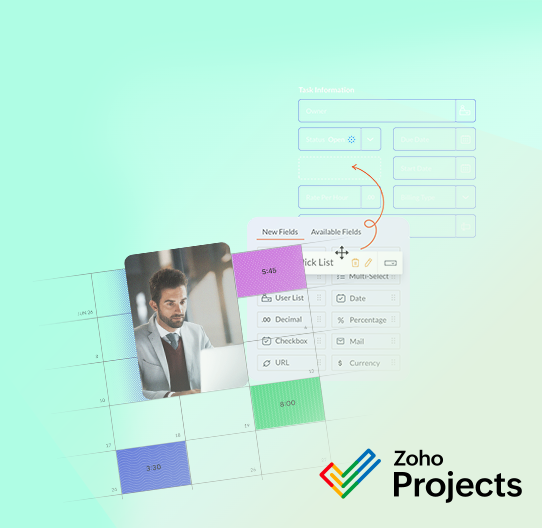
Zoho Projects is a full-featured project management application for teams that need structure, visibility, and accountability across their work.
What it covers
- Tasks, subtasks, milestones, and task lists with assigned owners and deadlines
- Gantt charts for timeline planning and dependency management
- Time tracking against tasks and projects for accurate billing and resource planning
- Document storage and team collaboration within each project
- Custom workflows and automated task assignments based on project stage
- Dashboards and reports on project health, budget, and team utilisation
How it connects to Zoho CRM
When a deal is won in Zoho CRM, it can become a project in Zoho Projects. The client details, agreed scope, and relevant notes carry across so the delivery team starts with full context rather than a blank slate. This connection requires configuration specific to your business: how your sales process maps to your delivery process, what data needs to transfer, and which triggers create the project. We build that connection as part of the implementation.
Once the project is running, milestone billing connects to Zoho Books. When a project milestone is completed and signed off, an invoice can be generated directly from the project without re-entering data. For businesses that bill by project phase or deliverable, this removes a significant administrative step.
What to configure before you start
The most common mistake teams make with Zoho Projects is building the system before they have a clear picture of how it needs to connect to the rest of their Zoho environment. A project structure that works in isolation often needs significant rework once it connects to CRM, Books, or Desk. The time to think through those connections is before the first project template is created, not after the first ten are built.
Zoho Sprints
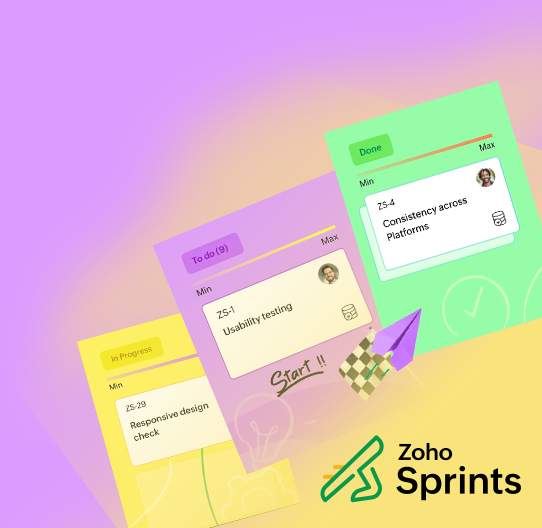
Zoho Sprints is Zoho’s agile project management tool. It is purpose-built for software development teams that work in iterative cycles.
What it covers
- Backlog management with user stories, epics, and task prioritisation
- Sprint planning with team capacity and workload visibility
- Kanban boards for tracking work in progress across the sprint
- Velocity charts, burndown reports, and cumulative flow diagrams for sprint performance
- Daily standups, sprint reviews, and retrospectives supported within the platform
- Integration with code repositories for teams that want development activity linked to sprint tasks
Who uses it
Software development teams that run two-week or monthly sprints and need a purpose-built agile tool rather than adapting a generic project management application. Zoho Sprints does not try to handle everything. It is focused on agile delivery and does that well.
Teams that are new to agile but want to adopt the methodology will find Zoho Sprints a practical starting point. The structure it enforces: backlog grooming, sprint commitments, and regular retrospectives. This builds good habits alongside the tooling.
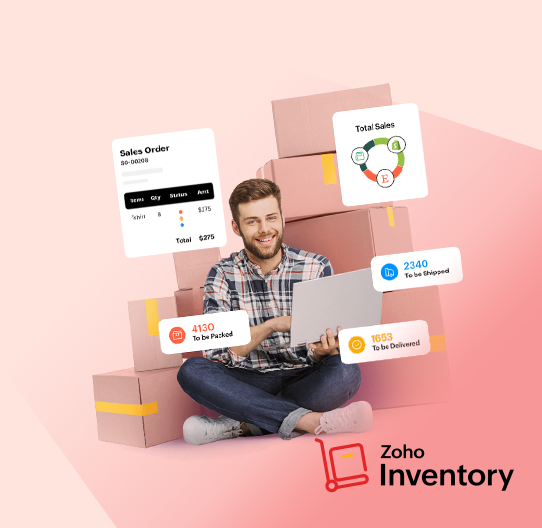
Zoho Inventory
Simplify project management with Zoho’s powerful tools, expertly implemented by our team of Zoho Certified Partners. Whether your team thrives on structured planning or agile adaptability, we’ll ensure seamless integration with your existing business processes for maximum efficiency:
What it covers
- Backlog management with user stories, epics, and task prioritisation
- Sprint planning with team capacity and workload visibility
- Kanban boards for tracking work in progress across the sprint
- Velocity charts, burndown reports, and cumulative flow diagrams for sprint performance
- Daily standups, sprint reviews, and retrospectives supported within the platform
- Integration with code repositories for teams that want development activity linked to sprint tasks
When Projects and Inventory work together
The clearest example is manufacturing or assembly businesses. A company that manufactures or assembles a product uses Zoho Inventory to track the components and bill of materials that go into the final product. Once the product is ready to install, configure, or deliver, Zoho Projects manages the execution: the site visit, the installation tasks, the client sign-off, and the milestone that triggers the invoice.
The two systems are not connected to each other by default. Connecting them requires configuration. But for businesses that work this way, having both in the same Zoho One environment means the data is accessible across both systems without building a custom integration from scratch.
Is Zoho Project Management Right for Your Business?
Zoho Projects and Sprints work well for teams that have a defined way of running projects and want a system that reflects that process, not one they have to work around.
It works well when:
- Your team runs multiple concurrent projects with different clients, scopes, or deadlines
- You need visibility into what everyone is working on and where projects stand
- You bill by project, milestone, or time and need that data connected to your accounting system
- You want projects to start automatically when deals close in your CRM
- Your development team runs sprints and needs an agile tool, not a general project tracker
Consider starting elsewhere if:
- Your team manages work informally and you are still figuring out your delivery process
- You have fewer than two concurrent projects and email tracking works adequately
- You are not yet using Zoho CRM. The CRM connection is where much of the value lives
If you are already running Zoho CRM and your team delivers projects or services to clients, adding Zoho Projects is usually the natural next step. The foundation is already in place.
What a Zoho Project Management Implementation Looks Like
A Zoho Projects implementation is not just configuration inside a single application. The value comes from connecting it to the systems around it: CRM, Books, and potentially Desk or Inventory depending on how your business operates.
What we design before we build
Before any configuration begins, we map how your delivery process works end to end. What triggers a project to start. What stages every project goes through. Who owns what at each stage. What gets billed and when. What data needs to come in from CRM and what needs to go out to Books.
That process map is the foundation. Without it, the system gets built around assumptions that often need to be undone once the team starts using it. The planning stage is where the real work happens.

What we configure
- Project templates that reflect your actual delivery process and stages
- Task structures, milestone definitions, and default assignments
- The CRM connection: triggers, data mapping, and the handoff from sales to delivery
- Milestone billing rules linked to Zoho Books
- User roles, access permissions, and portfolio visibility for leadership
- Dashboards and reports tailored to what your team and management need to see
What happens after go-live
The first few weeks of live use sometimes surface adjustments: task structures that need refinement, stages that need splitting or merging, reports that need different data. We stay involved through that period so the system settles into how your team actually works, not how we assumed they would.
Why Work with a Zoho Partner
If you are already running Zoho CRM and your team delivers projects or services to clients, adding Zoho Projects is usually the natural next step. The foundation is already in place.
We have implemented Zoho project management systems across professional services, construction, manufacturing, software development, and field service businesses. The process map always looks different. The configuration always needs to reflect that. There is no template that works for every business.
A free consultation is a practical starting point. In one hour we can understand your delivery process, identify where the system connections need to be designed carefully, and give you an honest assessment of what implementation will involve. Whether you move forward with us or independently, you will leave with a clearer picture.