

Zoho CRM Integrations
Connect Zoho to the platforms your business already uses. We build integrations between Zoho and third-party systems, develop custom applications when off-the-shelf connections are not enough, and manage the full process from design to deployment.
Tell us what you need to connect. We will tell you how.
What We Build
Clients come to us with two types of requests. Sometimes both at once.
Third-Party Integrations
If a platform has an API, we can connect it to Zoho. We build the connection, handle the data mapping, manage authentication and sync logic, and make sure the integration behaves reliably under real operating conditions. An integration that works in testing but breaks under load or drops records during a sync is not a finished integration.
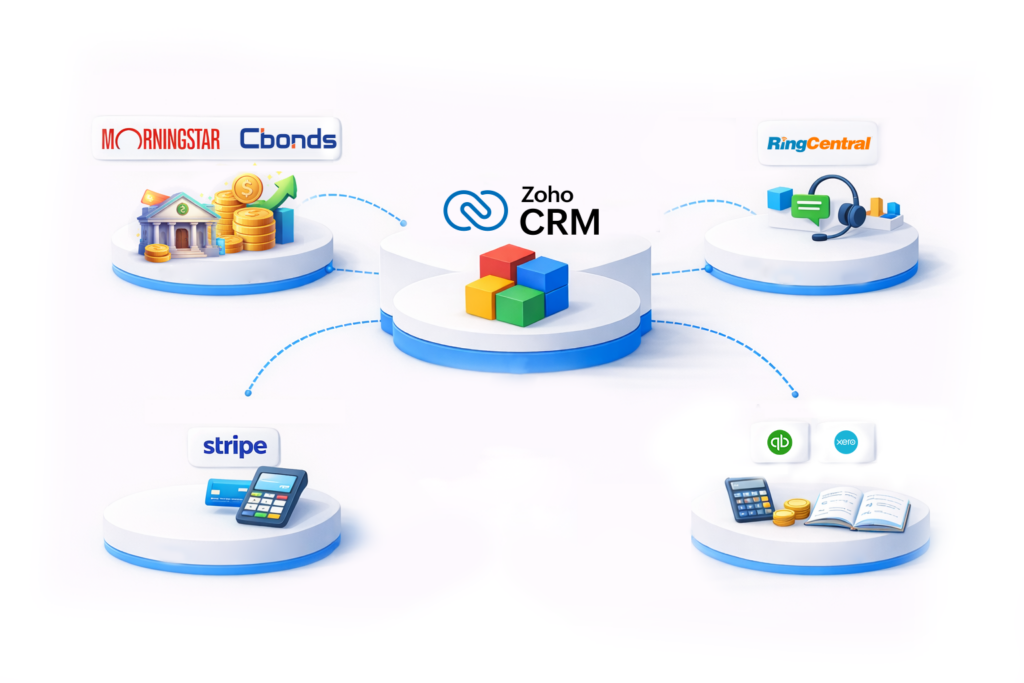
We have built integrations between Zoho and financial data providers, accounting platforms, payment processors, telephony systems, and general-purpose automation tools. The list of platforms below covers the integrations we have done most frequently. If your platform is not listed, ask us. If it has an API, the answer is usually yes.
Custom Application Development
Some requirements cannot be met by connecting existing platforms. A process that is specific to your business, a workflow that does not fit any off-the-shelf tool, a client portal that needs to reflect your brand and your data model. We build custom applications using Zoho Creator and other development frameworks depending on what the requirement calls for.
Custom applications built within the Zoho ecosystem connect natively to your CRM, your finance tools, and your other Zoho applications. Data flows between them without a separate integration layer. That keeps the system simpler and more reliable than stitching together external tools.
Integrations We Have Built
These are platforms we have connected to Zoho for clients. Each integration was built to production standard and is running in live environments.
RingCentral
We are an authorised RingCentral reseller. We supply RingCentral licences and integrate RingCentral with Zoho CRM as part of the same engagement.
The integration brings telephony directly into the CRM: click-to-dial from contact and lead records, automatic call logging against the relevant record, call notes and outcomes captured without manual entry, and inbound call screen-pops that surface the caller’s CRM record before the call is answered.
For businesses that run significant call volume through their sales or support teams, this removes the manual logging that typically gets skipped and the context that gets lost between calls.
Xero
Connects Zoho CRM and Zoho Books to Xero for businesses that need their sales and accounting data in sync.
Invoices, payments, and customer records created in Zoho flow to Xero automatically. Payment statuses update in both directions. Financial reporting draws on combined data from both systems without manual reconciliation.
Eliminates the duplicate entry that typically happens when sales and finance teams work in separate systems.
QuickBooks Online
Connects Zoho CRM or Zoho Books to QuickBooks Online for businesses that use QuickBooks as their accounting system of record.
Customer data, invoices, and payment records sync between the two platforms. Deals closed in CRM can generate QuickBooks invoices directly. Payment status updates flow back into Zoho without manual entry.
Suited to businesses that are committed to QuickBooks for accounting but want the full sales and operational capability of Zoho.
Stripe
Integrates Stripe payment processing with Zoho CRM, Zoho Books, and custom Zoho Creator applications.
Invoices generated in Zoho can be paid through Stripe. Payment status syncs back automatically. Subscription billing pairs with Zoho Billing for businesses on recurring revenue models.
Removes the gap between issuing an invoice and knowing it has been paid.
Zapier
For platforms that support Zapier connections, we use Zapier as the integration layer between Zoho and third-party tools.
This covers a wide range of applications that do not have direct Zoho integrations but are active in the Zapier ecosystem. If a platform you use connects to Zapier, it can connect to Zoho.
Zapier integrations are faster to build than direct API integrations and suited to lower-volume data flows. For high-volume or complex data requirements, a direct API connection is more reliable.
Morningstar
Pulls live securities data from Morningstar into Zoho CRM and custom Zoho Creator applications.
Built for financial services clients that need real-time market data available within their CRM environment. Portfolio tracking, client-facing investment dashboards, and securities management applications draw on live Morningstar data without requiring advisors to switch platforms.
One of a small number of Zoho partners to have built and maintained a production Morningstar integration.
Cbonds
Integrates Cbonds fixed income and bond market data with Zoho CRM and Zoho Creator applications.
Used by investment firms and financial advisors to bring bond market intelligence into their client management workflows. Portfolio dashboards, client reporting, and market monitoring tools built on Zoho draw on live Cbonds data.
Built for clients in wealth management and fixed income advisory who need bond data available within their Zoho environment.
Currency Exchange Rates
Connects a live exchange rate data source to Zoho CRM, keeping multi-currency records accurate without manual updates.
Exchange rates update automatically on a daily schedule. Invoices, deal values, and financial reports that reference foreign currencies reflect current rates without requiring manual intervention.
Available as a free Zoho CRM extension through the Plug and Play Zoho Marketplace listing.
Custom Application Development
When an existing integration is not enough, we build from scratch. Custom applications for processes that do not fit any off-the-shelf tool, client portals, internal workflow tools, and data management applications built to your exact requirements.
Zoho Creator
Zoho Creator is a low-code development platform included in Zoho One. Applications built in Zoho Creator connect natively to the rest of the Zoho ecosystem. CRM data, financial records, project information, and HR data are all accessible within Creator applications without requiring a separate integration layer.
We have used Zoho Creator to build loan management systems, mortgage origination and tracking applications, wealth management platforms with live market data integration, client portals, and custom operational workflow tools across multiple industries. These are not template deployments. They are purpose-built applications designed around specific business requirements.
Other Development Frameworks
Some requirements call for development outside the Zoho ecosystem. We assess the requirement and recommend the right approach.
A custom application that needs to connect to Zoho can be built externally and integrated via the Zoho API. The choice of framework depends on the requirement, not on what is easiest to build.
How a Custom Application Engagement Works
Requirements Analysis:
We define exactly what the application needs to do before any development begins.
Design:
Data model, user flows, and integration points designed and approved before build.
Testing:
Run against real scenarios and real data before handover.
Deployment and Training:
Handed over with documentation and training for the team using it.
Ongoing Support:
Maintained and extended as requirements evolve.
If Your Platform Is Not Listed
The integrations above are the ones we have built most frequently. They are not the full list of what we can connect to Zoho.
If a platform has an API, we can build a connection to Zoho. The question is not whether the integration is possible but how complex the data mapping is, what sync logic is required, and what volume the integration needs to handle reliably. Those questions are worth answering before committing to a build.
The free consultation is the right starting point. Bring the platforms you need to connect, a description of what data needs to flow between them, and any constraints on timing or volume. We will give you an honest assessment of what the integration involves.